Descale Your DeLonghi Magnifica: A Complete Guide for S, Start, Smart & EVO Machines
HOW-TO
Descale Your DeLonghi Magnifica: A Complete Guide for S, Start, Smart & EVO Machines
Written by Alice
Depending on where you live, your water may be quite hard, meaning it contains high levels of limestone or chalk. If you’re finding that your morning coffee is losing its flavor, then it might be link to a build-up in limescale in your machine. The solution? Regular descaling. If you own a DeLonghi Magnifica, a regular descaling routine is essential to keep your machine in top condition and ensure every cup tastes perfect. This comprehensive guide covers everything you need to know about descaling and cleaning all models of the Magnifica range, including the S, Start, Smart, and Evo.
Descale Your De’Longhi Magnifica Coffee Machine: Why is it so Important
If your De’Longhi Magnifica bean-to-cup machine isn’t descaled regularly, you’ll quickly notice a drop in drink quality. Limescale builds up inside the hydraulic system, reducing heat transfer between the water and the thermoblock. As a result, your drinks may be lukewarm rather than hot. Beyond temperature, neglecting descaling can clog the water circuit, slow down extraction, and even cause leaks. Unlike simple taste issues, scale-related damage isn’t covered under warranty.
Descaling isn’t just about performance—it’s also about taste. A dirty machine may affect the flavour of your coffee, giving it a bitter or stale aftertaste. To enjoy the full aroma of freshly ground beans, regular descaling (and cleaning of the brew unit) is essential.
Signs Your DeLonghi Magnifica Needs Descaling
Your DeLonghi Magnifica will usually give you a clear signal when it’s time for a deep clean. Here are the signs to watch for:
Lukewarm Coffee: If your drinks are less hot than usual, it could be a sign that limescale is partially obstructing the machine’s internal components.
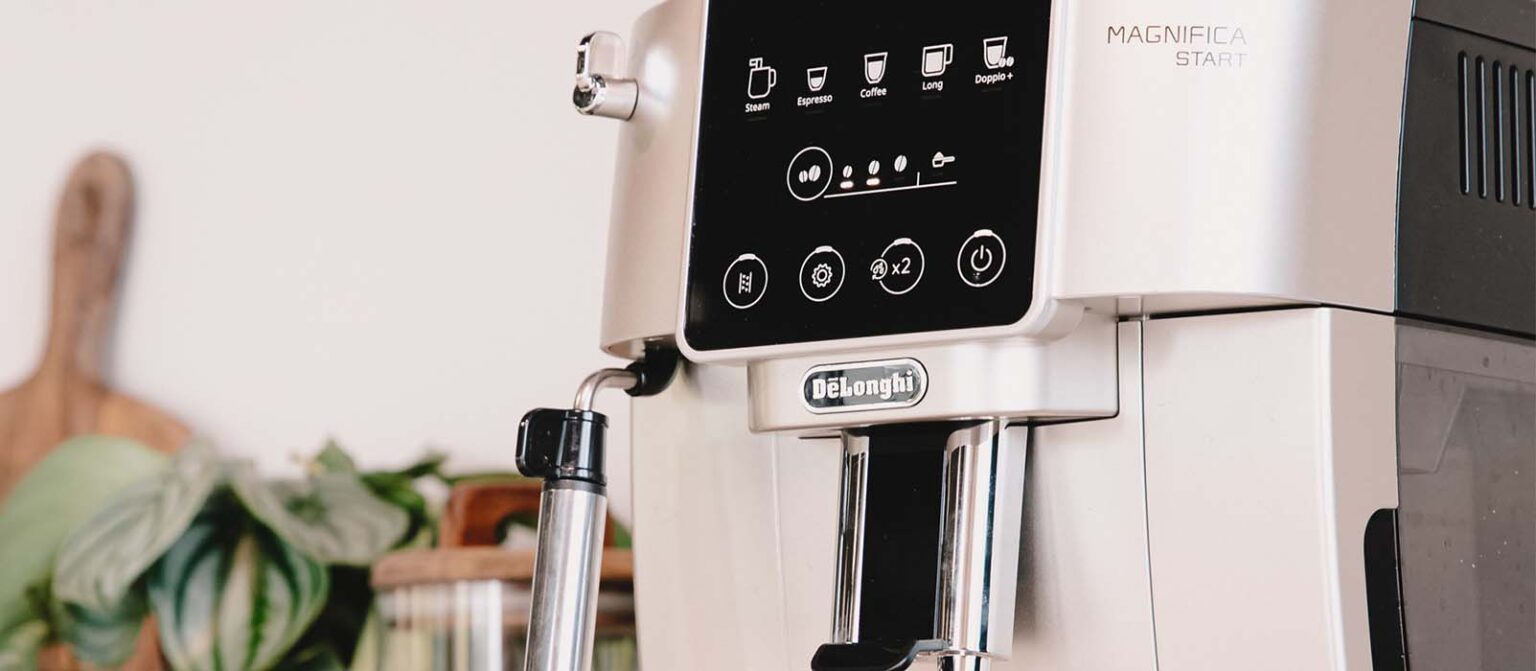
The Descaling Light Is On: A dedicated light on the control panel, usually on the left, will illuminate to indicate that the machine needs to be descaled.
Slower Water Flow: You may notice that the water flow has become slower than usual as a result of limescale buildup.
Altered Coffee Flavor: A bitter or unpleasant taste can be a sign that limescale is accumulating in the machine.
How to Descale a De’Longhi Magnifica Coffee Machine? (Step-by-Step by Model)
This process is generally similar across the Magnifica range, but there can be slight variations depending on the model. It’s always a good idea to refer to your user manual for the most precise instructions.
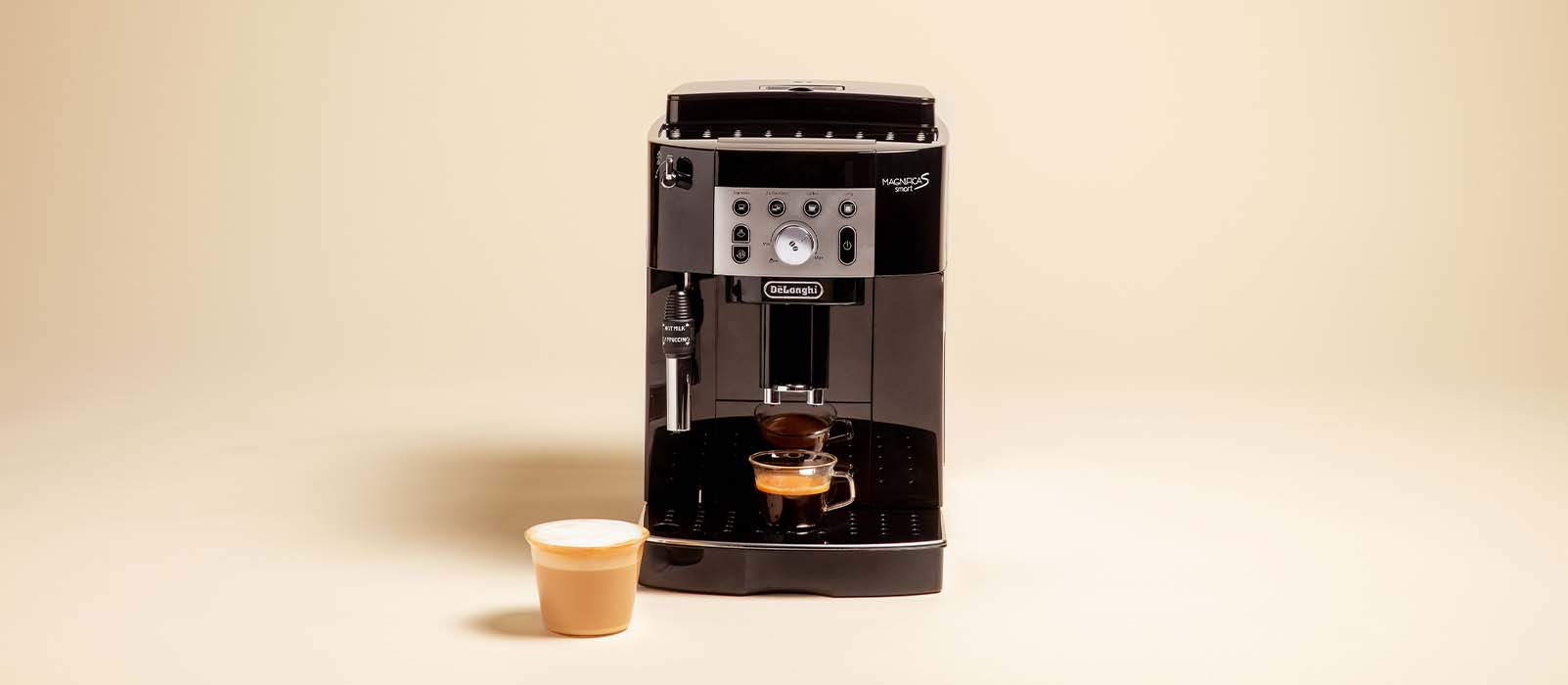
Descaling Process Your DeLonghi Magnifica S
Ingredients
Clean water (tap or filtered)
DeLonghi-compatible descaling solution
Material
Your DeLonghi Magnifica S Coffee Machine
1-litre container for collecting wastewater
Preparation
Step 1Turn on the machine and wait for it to heat up.
Step 2Remove the water filter cartridge if you have one, then empty the water tank completely.
Step 3Pour the descaling solution into the water tank up to the indicated level (usually marked “A”).
Step 4Fill the rest of the tank with clean water up to the “MAX” level. Place the water tray back in the machine.
Step 5Place a container under the coffee and steam nozzles to catch any liquid used up during the cycle. Wait until the coffee lights come on steadily.
Step 6Press and hold the button for at least 5 seconds to confirm that you have added the solution and start the descaling process. The button indicator lights up steadily to indicate that the descaling program has begun.
Step 7The light flashes to indicate that the hot water/steam dial should be turned to I position.
Step 1
Turn on the machine and wait for it to heat up.
Step 2
Remove the water filter cartridge if you have one, then empty the water tank completely.
Step 3
Pour the descaling solution into the water tank up to the indicated level (usually marked “A”).
Step 4
Fill the rest of the tank with clean water up to the “MAX” level. Place the water tray back in the machine.
Step 5
Place a container under the coffee and steam nozzles to catch any liquid used up during the cycle. Wait until the coffee lights come on…
Step 6
Press and hold the button for at least 5 seconds to confirm that you have added the solution and start the descaling process. The button…
Step 7
The light flashes to indicate that the hot water/steam dial should be turned to I position.
1 / 7
Descaling Process For A DeLonghi Magnifica Start
Ingredients
Clean water (tap or filtered)
DeLonghi-compatible descaling solution
Material
Your DeLonghi Magnifica Start Coffee Machine
2-litre container for collecting wastewater
Preparation
Step 1Remove the water filter cartridge if you have one, then empty the water tank completely.
Step 2Hold down the bottom left button for 5 seconds until the LED flashes rapidly. The machine will light up the ‘coffee beans’ and ‘spoon’ LEDs to indicate the 4 steps of the descaling process.
Step 3Empty the water tank (or water tray) and pour the descaling agent into the tank up to level A, then fill with clean water up to level B.
Step 4Place a 2-litre container under the nozzles (coffee and steam nozzle). Press the descaling button again.
Step 5When the ‘milk jug’ LED flashes, turn the dial to position I so that the flow alternates between the two nozzles for 10 minutes.
Step 6Turn the dial to position 0 and wait for the LED indicator to flash rapidly, then turn the dial back to position I until the water tank is empty. Repeat this step for a second rinse.
Step 7When the pre-ground function indicator light comes on, descaling is complete. Empty the containers, replace the components and refill the water tank. The descaling project is now complete!
Step 1
Remove the water filter cartridge if you have one, then empty the water tank completely.
Step 2
Hold down the bottom left button for 5 seconds until the LED flashes rapidly. The machine will light up the ‘coffee beans’ and ‘spoon’ LEDs…
Step 3
Empty the water tank (or water tray) and pour the descaling agent into the tank up to level A, then fill with clean water up…
Step 4
Place a 2-litre container under the nozzles (coffee and steam nozzle). Press the descaling button again.
Step 5
When the ‘milk jug’ LED flashes, turn the dial to position I so that the flow alternates between the two nozzles for 10 minutes.
Step 6
Turn the dial to position 0 and wait for the LED indicator to flash rapidly, then turn the dial back to position I until the…
Step 7
When the pre-ground function indicator light comes on, descaling is complete. Empty the containers, replace the components and refill the water tank. The descaling project…
1 / 7
Descaling A DeLonghi Magnfica Smart
Ingredients
Clean water (tap or filtered)
DeLonghi-compatible descaling solution
Material
Your DeLonghi Magnifica Smart Coffee Machine
2-litre container for collecting wastewater
Preparation
Step 1Remove the water filter cartridge if you have one, then empty the water tank completely. This will prevent the descaling agent from being filtered by the filter cartridge, which would render the descaling process virtually useless.
Step 2Empty the water tank (or water tray) and pour the descaling agent into the tank up to level A, then fill with clean water up to level B.
Step 3Place a container under the steam nozzle and the coffee spout. Hold down the ‘rinse’ button for 5 seconds. The descaling indicator light will remain lit and the steam button will flash.
Step 4Turn the steam knob (top left) counterclockwise to position I.
Descaling begins with the flow from the steam nozzle. The flow will alternate between the steam nozzle and the coffee nozzle.
Step 5Once the tank is empty, the carafe indicator light will flash to indicate that it needs to be cleaned. Refill the water tank (or water tray) to the MAX level and replace the tank.
Empty your container and the drip tray.
Step 6The steam button flashes. Turn the steam knob (top left) back to I. The flow will resume until the tank is empty. Repeat this step once more.
Step 7Once this step is complete, fill the water tank (or water tray) to the MAX level, then insert the filter cartridge.
Descaling is now complete!
Step 1
Remove the water filter cartridge if you have one, then empty the water tank completely. This will prevent the descaling agent from being filtered by…
Step 2
Empty the water tank (or water tray) and pour the descaling agent into the tank up to level A, then fill with clean water up…
Step 3
Place a container under the steam nozzle and the coffee spout. Hold down the ‘rinse’ button for 5 seconds. The descaling indicator light will remain…
Step 4
Turn the steam knob (top left) counterclockwise to position I. Descaling begins with the flow from the steam nozzle. The flow will alternate between the…
Step 5
Once the tank is empty, the carafe indicator light will flash to indicate that it needs to be cleaned. Refill the water tank (or water…
Step 6
The steam button flashes. Turn the steam knob (top left) back to I. The flow will resume until the tank is empty. Repeat this step…
Step 7
Once this step is complete, fill the water tank (or water tray) to the MAX level, then insert the filter cartridge. Descaling is now complete!
1 / 7
Descaling A DeLonghi Magnifica EVO
Ingredients
Clean water (tap or filtered)
DeLonghi-compatible descaling solution
Material
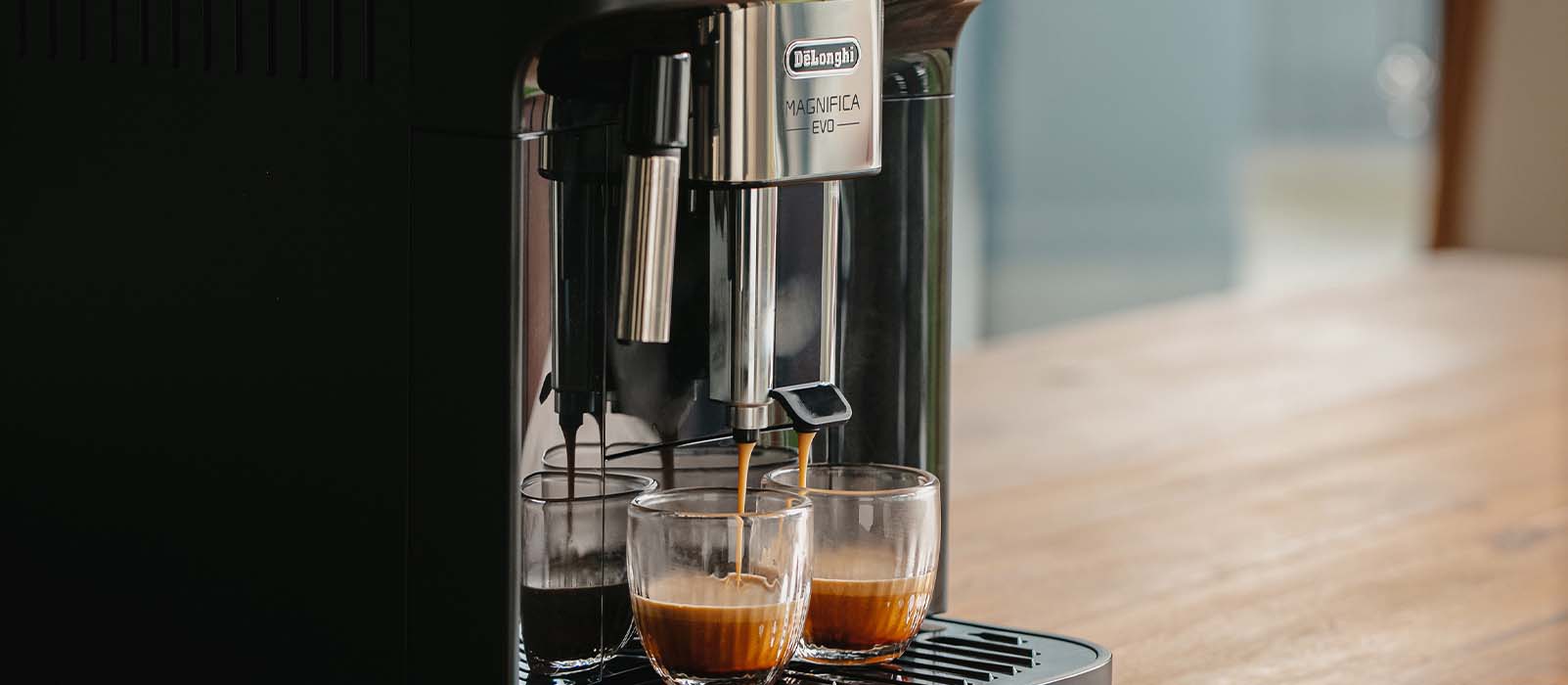
Your DeLonghi Magnifica EVO Coffee Machine
2-litre container for collecting wastewater
Preparation
Step 1Remove the water filter cartridge if you have one, then empty the water tank completely.
Step 2Empty the water tank (or water tray) and pour the descaling agent into the tank up to level A, then fill with clean water up to level B.
Step 3Hold down the top left button for 5 seconds until the corresponding LED flashes rapidly. The low-intensity LED lights up to indicate that step 1 of the descaling cycle is in progress and that your machine is starting the descaling procedure.
Step 4Press the button to start the descaling cycle; the indicator light will flash to confirm that step 1 is in progress.
Step 5For about 15 minutes, the machine will automatically alternate between pausing and dispensing liquid from the hot water spout and coffee spout. When the first step of the descaling cycle is complete, the low water level indicator will light up.
Step 6Empty the container used to collect the descaling solution. Remove and empty the water tank, rinse it under running water, then fill it with fresh drinking water up to the MAX level and put it back in the machine: reposition the container under the spouts.
Step 7Press the top left button (which will be flashing rapidly) to start rinsing: the medium-intensity LED will flash to indicate that step 2 of the descaling cycle is in progress.
Step 8The machine will automatically rinse the coffee and hot water spouts. When the second stage of the descaling cycle is complete, the low water level indicator will light up.
Step 9Empty the container used to collect the water from the first rinse. Remove and empty the water tank, then fill it with fresh drinking water up to the MAX level and reinstall the softener filter, if used; put the tank back in the machine and reposition the container under the spouts.
Step 10Press the top left button (which will be flashing rapidly) to start rinsing: the high-intensity LED will flash to indicate that step 3 of the descaling cycle is in progress; the rinsing liquid will flow from the hot water spout.
Step 11When the LED for the pre-mass function lights up, the descaling cycle has been completed successfully.
Step 12The coffee grounds container indicator light will come on: remove the container that collects the rinse water and empty it; remove the drip tray and empty the coffee grounds container, which will have collected some of the rinse water. Replace all parts in the machine.
Step 13The ‘no water’ indicator light will come on: remove the tank and fill it with fresh drinking water. Replace the water tank in the machine. Descaling is now complete!
Step 1
Remove the water filter cartridge if you have one, then empty the water tank completely.
Step 2
Empty the water tank (or water tray) and pour the descaling agent into the tank up to level A, then fill with clean water up…
Step 3
Hold down the top left button for 5 seconds until the corresponding LED flashes rapidly. The low-intensity LED lights up to indicate that step 1 of…
Step 4
Press the button to start the descaling cycle; the indicator light will flash to confirm that step 1 is in progress.
Step 5
For about 15 minutes, the machine will automatically alternate between pausing and dispensing liquid from the hot water spout and coffee spout. When the first…
Step 6
Empty the container used to collect the descaling solution. Remove and empty the water tank, rinse it under running water, then fill it with fresh…
Step 7
Press the top left button (which will be flashing rapidly) to start rinsing: the medium-intensity LED will flash to indicate that step 2 of the…
Step 8
The machine will automatically rinse the coffee and hot water spouts. When the second stage of the descaling cycle is complete, the low water level…
Step 9
Empty the container used to collect the water from the first rinse. Remove and empty the water tank, then fill it with fresh drinking water…
Step 10
Press the top left button (which will be flashing rapidly) to start rinsing: the high-intensity LED will flash to indicate that step 3 of the…
Step 11
When the LED for the pre-mass function lights up, the descaling cycle has been completed successfully.
Step 12
The coffee grounds container indicator light will come on: remove the container that collects the rinse water and empty it; remove the drip tray and…
Step 13
The ‘no water’ indicator light will come on: remove the tank and fill it with fresh drinking water. Replace the water tank in the machine.…
1 / 13
Extra Tips for Cleaning & Maintaining Your DeLonghi Magnifica Coffee Maker
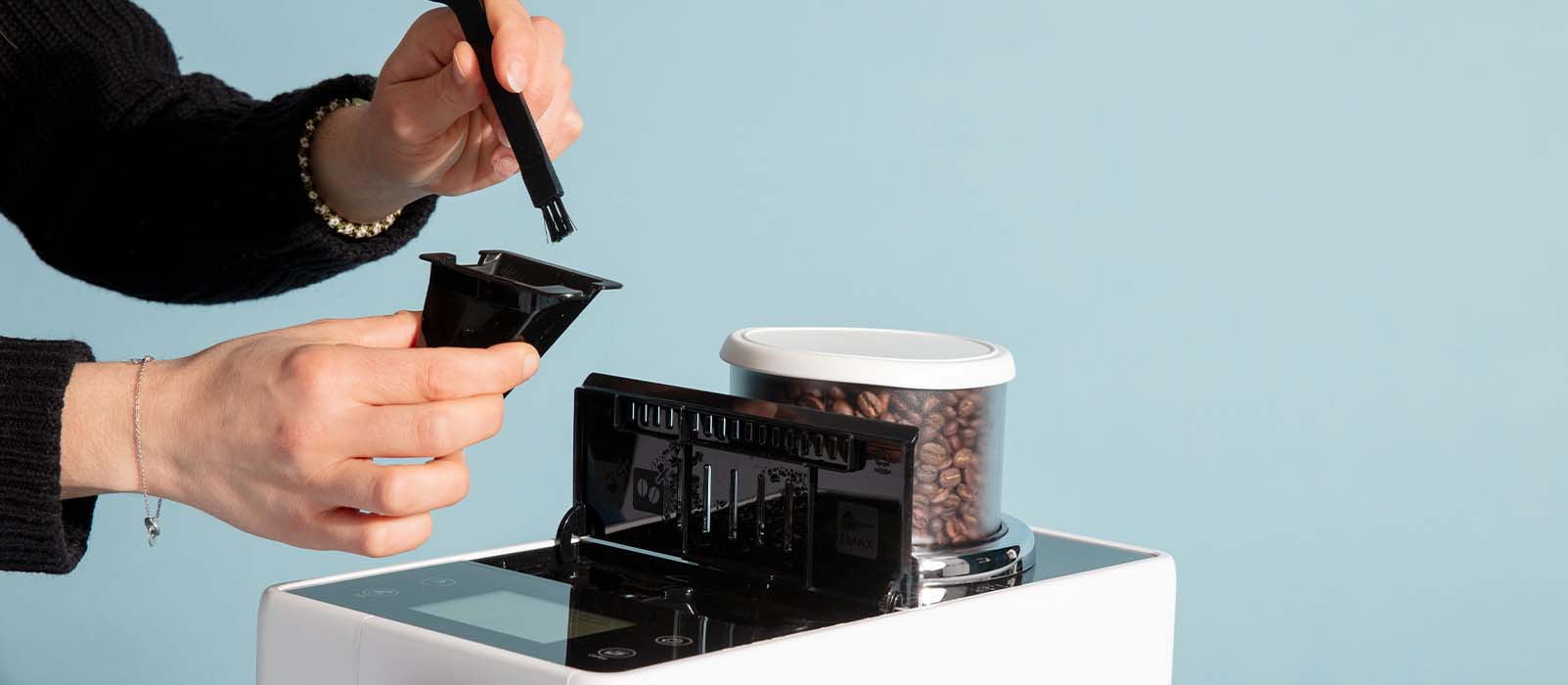
Beyond descaling, regular cleaning of various parts of your coffee machine—including the brew unit, bean hopper, water tank, and grounds container—is essential to prolong its lifespan and ensure optimal extraction quality.
#1
The water tank
It is important not to wash the water tank in the dishwasher or with washing-up liquid, as this may damage its materials and compromise its proper functioning. The drip tray under the container has a red float that indicates the water level. When it exceeds this level, pull the container forward, remove the grounds container and cup tray, empty and clean with clean water, and carefully replace everything.
#2
The grounds container
An indicator light comes on when the grounds container is full. But don’t just empty it: it is important to clean it each time to prevent mould from forming due to the moisture from the coffee. To do this, pull out the container, empty it, wash it with a little mild detergent, rinse it with clean water and put it back in place. This cleaning should be done regularly, even if the container is not yet full (it can hold up to 14 patties).
#3
The bean container and coffee nozzle
To preserve the aromas and avoid rancid coffee oil residues, it is recommended that you clean the coffee nozzle once a month and the extraction chamber once a week. If you hear a metallic noise coming from the extraction unit, apply food-grade grease to the moving parts (gears) to keep it running smoothly.
#4
The milk system
If your model is equipped with a cappuccino system or a steam nozzle, thorough cleaning is essential to ensure impeccable hygiene. After each use, briefly turn on the steam to rinse the inside of the nozzle and prevent milk residue from accumulating. Regularly dismantle the nozzle (or milk system), soak it in hot water with a specific milk cleaner, then gently scrub the parts with a small soft brush.
Rinse with clean water and dry thoroughly before reassembling.
#5
The extraction unit
The extraction unit is the centrepiece of your machine. For effective and safe cleaning, refer to the user manual provided by De’Longhi. It contains detailed instructions on how to remove it, clean it with clean water and put it back in place. In general, weekly cleaning is recommended.
Frequently Asked Questions
Une question de @Henry
Why is the Red Light Flashing on my DeLonghi Magnifica?
A flashing red light on your DeLonghi Magnifica typically indicates that the machine needs descaling or the water tank is running low. When the water level drops below the minimum mark, the machine al
Une question de @Lucy
How Do I Turn Off the Descale Light on my DeLonghi Magnifica?
To reset the descale light on your DeLonghi Magnifica you must descale your machine by following the instructions explained previously. The descale light will automatically turn off after completing t
Une question de @Mark
How to Clean Delonghi Coffee Machine?
Your DeLonghi Magnifica needs descaling every 2-3 months or after 90 uses, depending on your water hardness level. For areas with hard water, more frequent descaling may be necessary. The machine will
Regular descaling is the key to keeping your De’Longhi Magnifica in perfect working order—whether you own the S, Start, Smart, or EVO. Not only will it guarantee hot, flavourful coffee, but it will also extend the life of your machine. Pair descaling with weekly cleaning of the brew unit and milk system, and you’ll enjoy café-quality coffee at home for years to come.
Comments
I have descaled my machine but the red descale light is staying on so i cannot start making coffee. Have tried everything but it just wont stop the descale cycle, Help!
























I have descaled my machine but the red descale light is staying on so i cannot start making coffee. Have tried everything but it just wont stop the descale cycle, Help!
You will find the instructions for your machine, as indicated by Delonghi, by following this link. https://www.delonghi.com/fr-fr/faqs/Le-voyant-dtartrage-ne-steint-pas-aprs-avoir-effectu-le-dtartrage-demand-pourquoi-/a/8429